Interviewers
A recorded conversation needs searchable quotes, clean speaker turns, and a short briefing for an editor.
The transcript becomes a working document for selecting clips, checking statements, and drafting follow-up questions.
For audio professionals
Audio work becomes more valuable when spoken ideas are searchable, editable, and ready for delivery. This guide shows how to turn recordings into dependable work products without losing the human review that quality requires.

Related workflows
Choose the workflow that matches the recording, the client promise, and the level of review required before anything is shared.
Know the limits
A transcription tool can accelerate repetitive work, but it cannot replace judgment about context, consent, or final accuracy.
Traffic, music, overlapping speakers, and poor microphones may produce missing or incorrect phrases.
What to do instead
Clean the recording when possible, use a short reference sample, and mark uncertain passages for review.
Names, acronyms, technical language, and regional expressions are common sources of transcription errors.
What to do instead
Prepare a vocabulary list and compare the draft against the original audio before delivery.
Speaker labels, timestamps, formatting, summaries, and redactions still require a defined editorial pass.
What to do instead
Use a repeatable checklist and reserve time for listening to key sections at normal speed.
Uploading sensitive audio without checking handling practices can create avoidable privacy risk.
What to do instead
Get permission, minimize retained copies, remove unnecessary identifiers, and follow the relevant client or workplace policy.
How work moves
A dependable process separates capture, machine-assisted drafting, and human verification so every job has a visible quality checkpoint.
Confirm consent, identify speakers, name the file clearly, and note vocabulary or formatting requirements before processing.
Send the recording through the chosen transcription workflow, then organize the draft with speaker labels, timestamps, and obvious sections.
Listen back to names, numbers, quoted statements, and unclear moments before exporting the format your client or team needs.
Job planning
These checkpoints describe the concrete parts of a professional transcription assignment rather than claiming a guaranteed accuracy rate or turnaround time.
Who uses it
Different professionals can start from the same audio workflow and finish with a deliverable suited to their audience.
A recorded conversation needs searchable quotes, clean speaker turns, and a short briefing for an editor.
The transcript becomes a working document for selecting clips, checking statements, and drafting follow-up questions.
Field interviews contain recurring themes, participant language, and details that are difficult to compare by listening alone.
A reviewed text draft makes coding, excerpt selection, and evidence tracking more manageable.
A client sends mixed-quality recordings with requirements for timestamps, formatting, or speaker identification.
A consistent draft-and-review process reduces repetitive typing while keeping editorial control with the worker.
Webinars, podcasts, and internal recordings need captions, summaries, or source text for repurposing.
One reviewed transcript can support articles, show notes, accessibility work, and searchable archives.
Meetings or interviews contain decisions, names, dates, and action items that must be checked carefully.
A structured transcript gives reviewers a clearer starting point while preserving the need for source verification.
From source to delivery
The useful change is not merely turning sound into words. It is turning an unstructured recording into a document that another person can inspect and use.

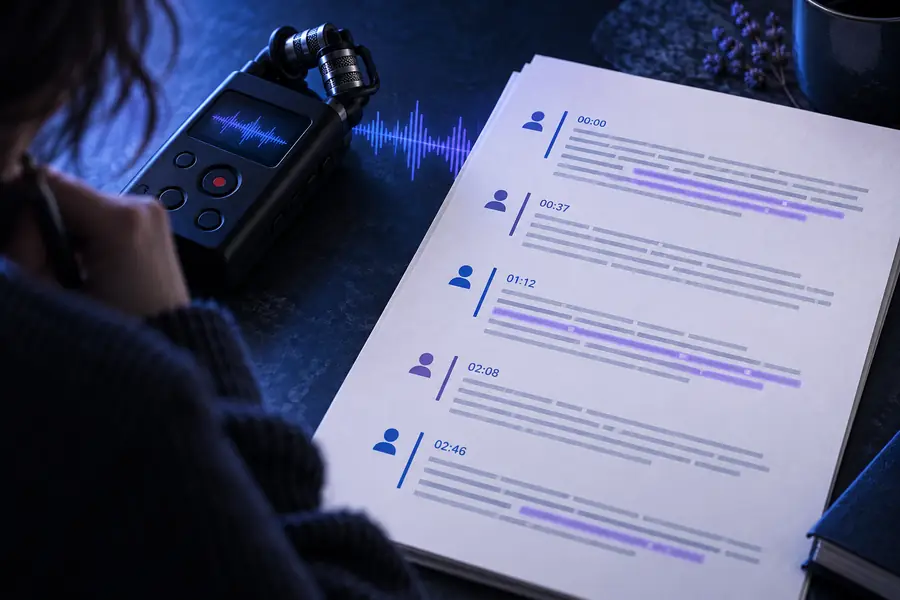
The after state represents an editorial goal: clear structure, checked names, and visible uncertainty rather than an automatic guarantee.
Raw recordingReviewed transcriptChoose the right standard
A professional job is easier to scope when the source material and the expected deliverable are compared before processing begins.
| Raw audio handoff | Reviewed transcript delivery | |
|---|---|---|
| Primary material | Recorded speech with pauses, noise, and overlapping voices | Editable text organized for the intended reader |
| Quality responsibility | The source may contain unclear or incomplete moments | A reviewer verifies important passages against the audio |
| Speaker handling | Voices may not be identified consistently | Speaker labels are checked and corrected where possible |
| Sensitive content | Personal or confidential details remain embedded in the recording | Access, retention, redaction, and sharing rules are documented |
| Client usefulness | Listening is required to locate a quote or decision | Searchable sections, timestamps, and headings speed retrieval |
| Delivery risk | Names, figures, and terminology may be misheard | High-impact facts receive a deliberate final check |
Start with one recording
If you handle interviews, meetings, research sessions, or media production, begin with a recording whose purpose and review standard are clear. Use the first draft to save time, then apply your own judgment before the transcript becomes a client-facing or operational document.
Job questions
These answers address common questions people ask when evaluating transcription work as a practical workflow or service.
Common assignments include interviews, meetings, podcasts, webinars, research sessions, lectures, and voice notes. The final deliverable may be a verbatim transcript, cleaned-up copy, captions, timestamps, or a summary supported by the transcript.
For important work, yes. Automated drafts can save substantial typing time, but names, numbers, specialist terms, overlapping speech, and unclear audio should be checked against the original recording before delivery.
Careful listening, accurate typing, spelling, formatting, research, and attention to context are useful foundations. Familiarity with timestamps, speaker labels, privacy expectations, and a client's style guide can also improve the finished result.
Confirm that you have permission to process the recording and understand the client's retention and sharing rules. Limit access, avoid unnecessary copies, remove identifiers when appropriate, and do not treat an automated draft as permission to disclose sensitive content.
It can support freelance and contract assignments when the scope is clear and the final review standard is agreed in advance. Define the audio length, expected format, speaker labeling, timestamps, turnaround, revisions, and treatment of unclear sections before accepting the work.