Students and occasional users
You have a lecture, class discussion, or voice note and want a readable draft without learning a new technical stack.
An online workflow usually minimizes setup and gets you to review sooner.
Workflow comparison
When comparing transcribe audio to text vs online workflows, the best choice depends on your files, privacy needs, editing habits, and how quickly you need usable text.
Neither approach fixes poor source audio by itself. Knowing the limits early helps you choose a workflow that matches the recording and the final use.
Background noise, overlapping speakers, accents, distance from the microphone, and specialist vocabulary can all reduce accuracy.
What to do instead
Use the clearest recording available, identify speakers when possible, and review names, numbers, and technical terms.
A browser workflow can be interrupted by weak internet, upload failures, browser limits, or a large file that takes time to transfer.
What to do instead
Keep a local copy, use a stable connection, and split a long recording into manageable sections when the tool supports it.
Desktop or offline workflows may require installation, model downloads, updates, storage, and troubleshooting before the first transcript.
What to do instead
Choose a local route only when repeatable offline access or tighter control justifies the setup.
Automatic output may lack polished punctuation, consistent speaker labels, citations, headings, or the formatting your team expects.
What to do instead
Reserve time for cleanup, then move the text into your preferred editor or document workflow.
Make the decision from the recording outward: start with constraints, test the input, then judge the output against the work you actually need to finish.
Decide whether your priority is convenience, offline access, privacy control, repeatability, collaboration, or a quick one-off result.
Use a short section containing the real speakers, background sound, terminology, and pacing you expect in the full recording.
Check accuracy, speaker separation, timestamps, punctuation, export options, and the amount of manual editing before committing to a route.
Online transcription is usually the easier starting point for occasional work and shared access. A local or installed workflow becomes more attractive when offline control, repeatability, or sensitive files outweigh convenience.
| Online transcription | Local or installed workflow | |
|---|---|---|
| Getting started | Open a browser, upload the recording, and follow the service workflow. | Install software, configure settings, and possibly download language resources. |
| Internet dependence | Usually needs a connection for upload, processing, and access to the result. | Can work without an active connection after the required tools and models are available. |
| Convenience | Well suited to occasional jobs and users who do not want technical setup. | More effort up front, especially when configuring a new computer. |
| Privacy control | Requires careful review of retention, access, processing, and deletion policies. | Keeps processing closer to your own device, subject to local security practices. |
| Collaboration | Often easier to share a result or pass it into a team workflow. | May require manual export, file transfer, or a separate shared storage process. |
| Repeatability | Convenient when the service offers a consistent upload and export routine. | Useful for repeatable internal processing once the environment is configured. |
| Large or sensitive archives | Upload time, account policies, and service limits may affect the process. | More control over storage and processing, but local hardware and maintenance matter. |
| Editing after transcription | Often convenient for quickly copying, exporting, or sharing the first draft. | Can fit tightly into a local editing, scripting, or document pipeline. |
The important contrast is not only where words are generated. It is how much work remains between the recording and the document you can review, edit, or share.
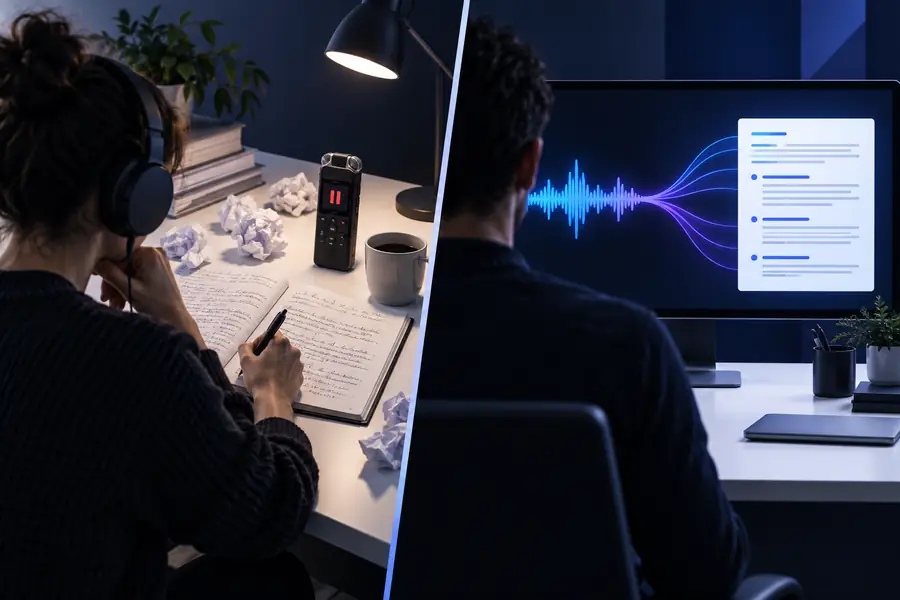

A useful comparison follows the complete handoff, not just the first upload.
Recording to processText to reviewThis page compares two workflow approaches across six practical dimensions and four common audiences, giving you a quick way to frame the trade-off.
The right route changes with the person doing the work, the recording they have, and what must happen after the words are extracted.
You have a lecture, class discussion, or voice note and want a readable draft without learning a new technical stack.
An online workflow usually minimizes setup and gets you to review sooner.
You need to turn recorded conversations into searchable text, then verify names, quotes, and timestamps.
Online tools can speed the first pass, while privacy and retention policies deserve careful checking.
Recordings may contain confidential material, repeated terminology, or evidence that needs controlled handling.
A local workflow may be preferable when keeping files within your own environment is a central requirement.
Several people need transcripts that can move quickly from recordings into notes, summaries, documents, or shared review.
An online route often fits better when handoff and collaboration matter more than offline processing.
If you need a quick first draft, start with the simplest online workflow and judge it using a representative recording. If privacy, offline access, or repeatable internal processing is the deciding factor, invest in a local setup and document the review process.
Online transcription sends the recording through a browser-based service for processing and usually requires less setup. A local workflow processes files on your own device or environment, which can provide more control but often requires installation, maintenance, and suitable hardware.
Usually, yes, when the goal is to get a first transcript without configuring software. Online tools tend to reduce technical friction, but beginners should still check file support, privacy terms, export options, and the amount of editing the result needs.
It can be, because the recording may remain within your own device or managed environment. Privacy still depends on local access controls, backups, malware protection, and how files are stored, so local processing is not automatically secure.
No, a browser service generally needs connectivity to upload audio, run processing, and return the transcript. If offline work is essential, prepare a local workflow in advance and test it with the audio types you expect to handle.
The better option depends on what you repeat. Online transcription is efficient when you value a simple shared process, while a local workflow may be stronger when you need controlled processing, predictable internal steps, or limited connectivity.